Binance API key configuration guide
Follow these steps to configure your API keys for trading Binance through MT5.
01Create API keys
First, create your Binance API keys.
Creating Binance API keys is free. Follow the official Binance instructions: https://www.binance.com/zh-CN/support/faq/detail/360002502072
02Save your keys
You will receive an API key and a secret key similar to the examples below. Keep both confidential.
API key:
OVNjzabcaRSoEUiE9Dxv9VabcuDD5HQrhu2fn1gJSfWbGDjVn2kEClsabcnnXonkQ
Secret key:
c4QUrxabcaxDlteiCS8XHdIt9n3qAInFvHabcKAwyEavEQtZXXabcl1OxTF52GZ0w
03Open the data folder
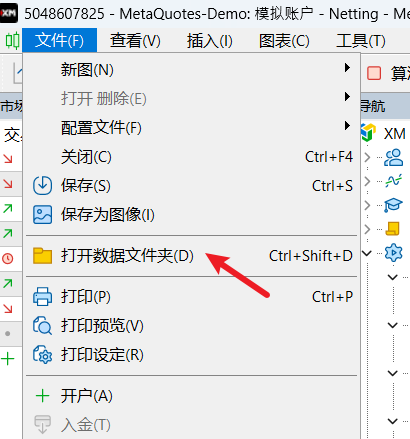
Open the MT5 data folder.
04Configure a classic account
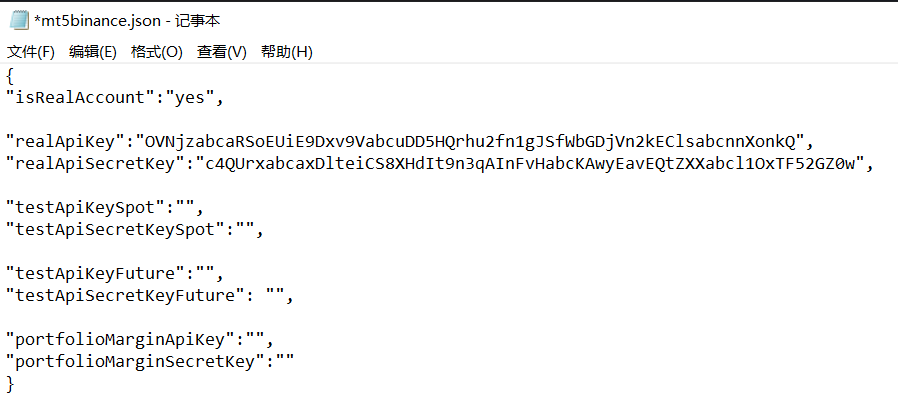
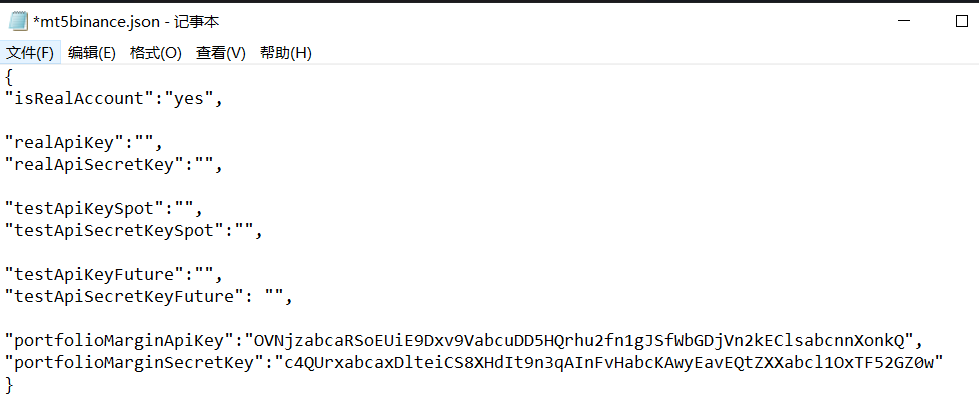
Open mt5binance.json in the MQL5\Libraries directory with Notepad and enter your API key and secret key.
For a classic Binance account, use the configuration shown below.
05Configure a Portfolio Margin account
For a Portfolio Margin account, use the configuration shown below.
06Restart and start services
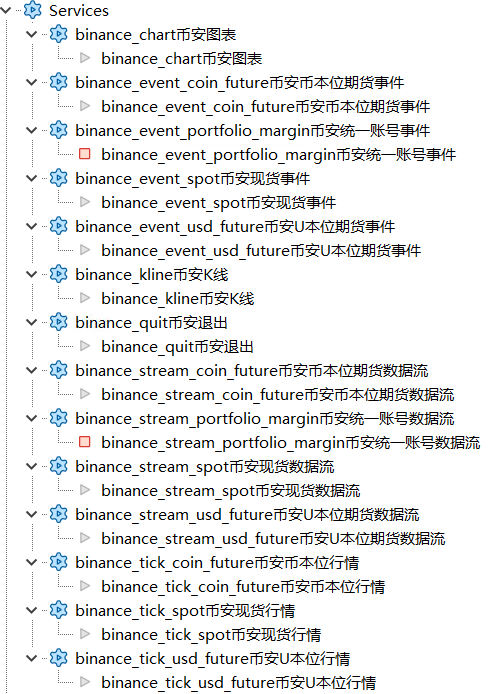
After configuration, restart MT5 and start all Binance services to enable trading.
🔑 API key setup complete!
Restart MT5 and start all Binance services to begin trading.
Keep your API keys secure and never disclose them.