Installing and configuring MT5 Binance
Follow these steps to install the software and connect MT5 to Binance.
01Download and install MT5
Download and install MT5 from https://www.metatrader5.com/
02Open a trading account
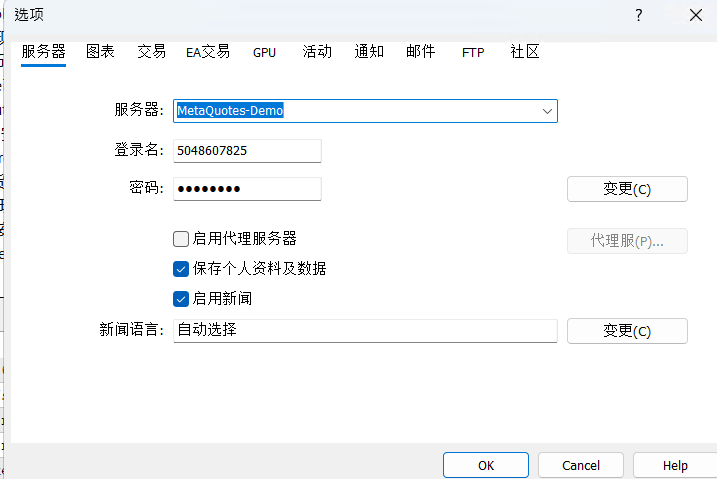
Open a live or demo account on an MT5 platform. Confirm your account is active, as illustrated below.
03Open the data folder
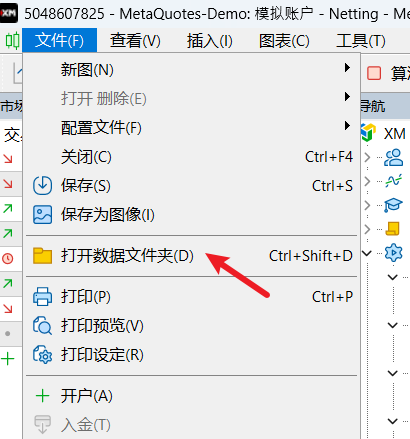
Open the MT5 data folder
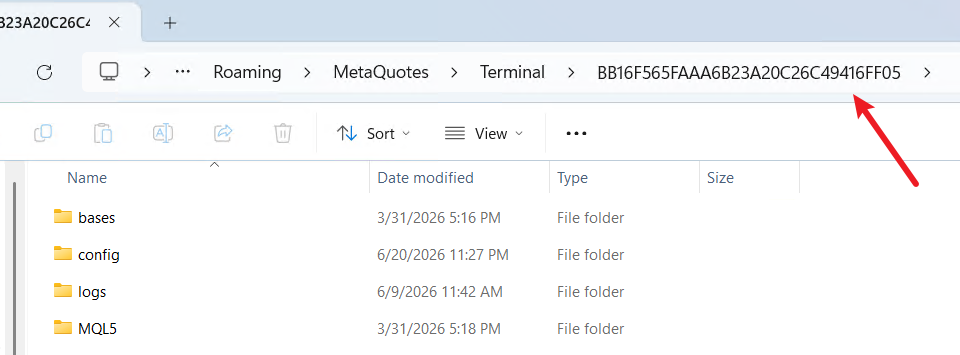
Copy the path to this folder.
04Install the connection software
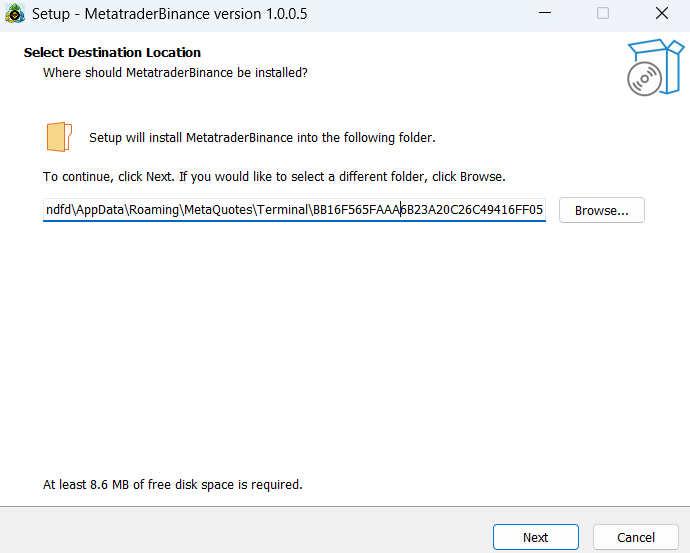
Visit the official website https://www.mt5binance.com to download the software, then paste the folder path copied in the previous step.
05Configure EA trading
Configure EA trading
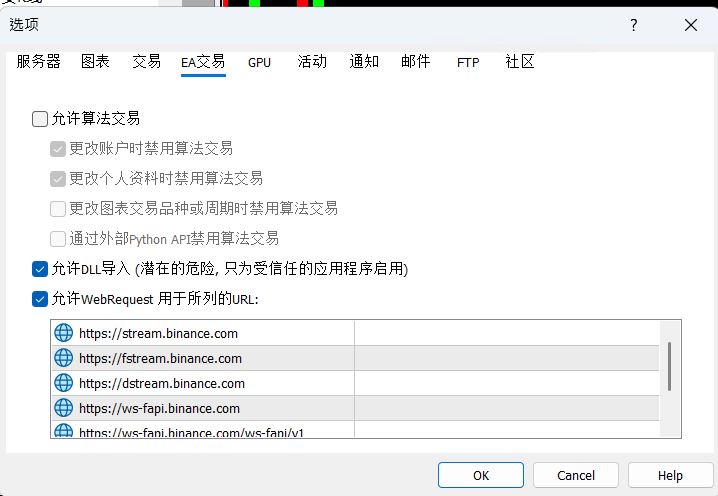
Select “Allow DLL imports” and “Allow WebRequest for listed URL”.
Add the following Binance URLs one at a time.
- https://stream.binance.com
- https://fstream.binance.com
- https://dstream.binance.com
- https://ws-fapi.binance.com
- https://ws-fapi.binance.com/ws-fapi/v1
06Start Binance services
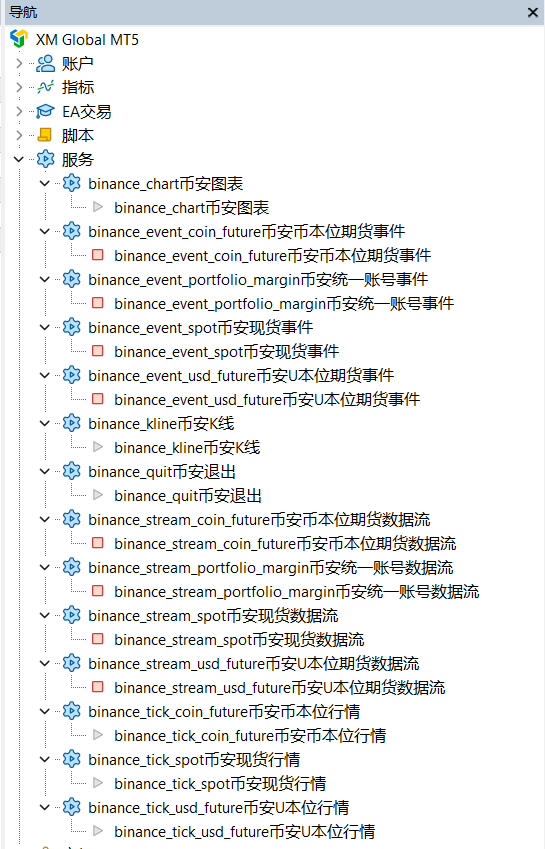
Start each Binance service once. The screenshot shows some services running (gray triangles). Before API keys are configured, it is normal for some trading services to remain stopped (red squares).
07Complete installation
Installation is complete. Open a symbol chart to receive historical bars and real-time market data.
📥 Installation complete!
You can now view real-time Binance futures data in MT5.
To enable trading,configure your Binance API keys.